
The Project
The client briefed us on created a tour guide platform having seen a potential opportunity in the market. This platform was supposed to provide tourists with easy access to private tour guides around the many tourist destinations around the country. This project involved a basic Brand Guidelines as well the conceptualising the User Journey and Visual Design.
The UX Process

Branding Concept
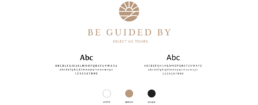
As this project was designed from a blank canvas, an initial brand was needed as a starting point. The client suggested that he wanted a professional and reputable image to gain the trust of customers. I researched into various creative avenues and found inspiration in the stained glass windows of the many historic buildings in the UK.
Sketching Ideas
Homepage Design
Working directly with the client I was able to assess what ingredients were necessary for the platform to function. This included two user journeys, one for the tourist to register and start searching for a tour guide and a second for a tour guide being able to register and manage their tours on the platform.
Homepage Search
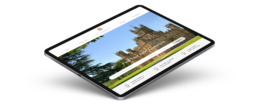
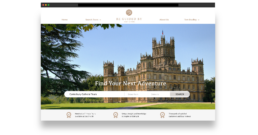
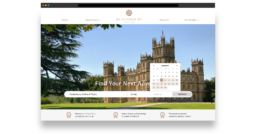
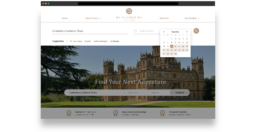
The ability to search for tour guides was the most important part of the platform so we displayed this as a search bar from the homepage. There is also the option to search from the navigation at anytime by choosing a destinations and a series of dates that the customer is available.
Search Results Page
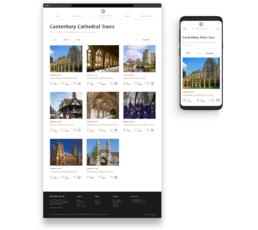
The results from the search will take you to a results page that will display all the tour guide products available during the dates that were entered. From here the user can quickly see the duration of a tour, the amount of guest the tour can accommodate and the starting price of the tour.
Filters Overlays
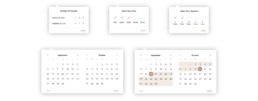
On the results page there are a series of dropdowns to filter the results by tour duration, number of guests or price. These filters were designed as reusable components that were used in various places around the platform. Creating all the pages with linked assets made managing common elements more easier and efficient.
Tour Description
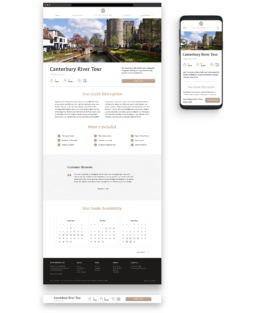
A detailed breakdown of each tour was created as a template that could be recreated for all tour guide products. This page included the tour guide description as well as reviews from previous customers and a calendar of availability. The 'Book Now' button once scrolled out of the fold becomes a sticky footer that will follow the customer down the page.
Tour Booking Process
Customer Dashboard
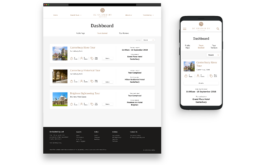
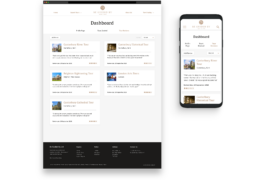
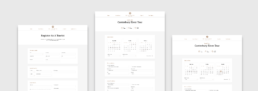
After the customer has booked a tour guide and completed the registration and payment process, they will be able to access their Customer Dashboard. Here they can see a list of the tours they have booked and be able to change their personal details. There is also an area where the tourist can write reviews of the tours they have completed.